
Getting Started
Allocations
If you do not already have an allocation, you will need to request one here: Discretionary Allocation Request (New & Renewal)
Accounts
If you do not have an ALCF account (but have an allocation), request one here: ALCF Account and Project Management
Setup
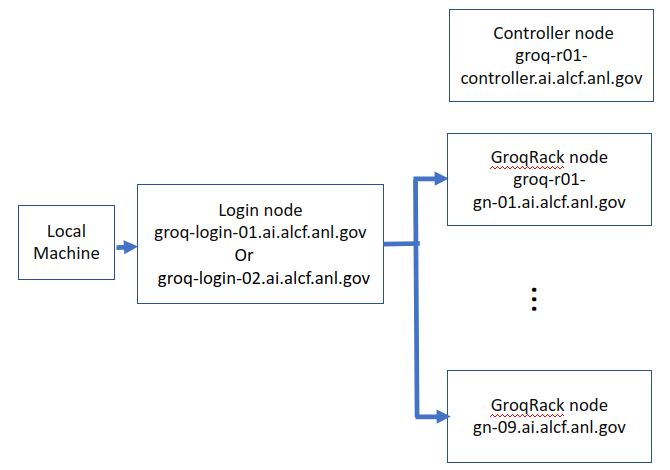
Connection to a GroqRack node is a two-step process.
The first step is to ssh from a local machine to a login node. The second, optional step is to ssh from a login node to a GroqRack node. Jobs may also be started and tracked from login nodes.
Log in to a login node
Connect to a Groq login node, replacing <username> with your ALCF username. You will be prompted for a password; use the 8-digit passcode provided by MobilePASS+.
groq-login-03.ai.alcf.anl.gov or groq-login-04.ai.alcf.anl.gov. You can alternatively ssh to the specific login nodes directly. Log in to a GroqRack node
Once you are on a login node, optionally ssh to one of the GroqRack nodes, which are numbered 1-9.